
YOZORA PROGRAM 2026
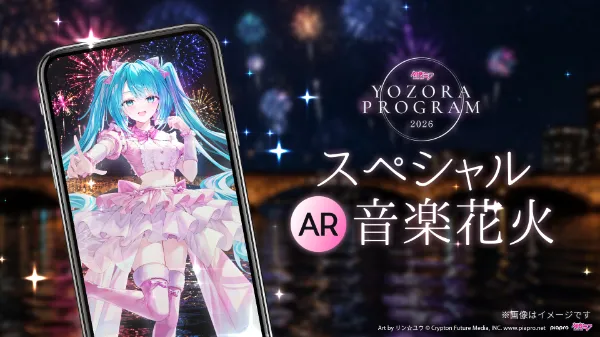
How to Enjoy AR
Learn how to enjoy the Special AR Music Fireworks experience.
Please read this guide carefully before the event and make sure you're fully prepared before participating.
Please Check in Advance That the AR Trial Mode Launches Properly.


STEP2
Launch HoloModels, tap [Start], then select [Location Mode].
*The first time you select this mode, a dialog will appear requesting permission to access your location information. Location Mode cannot be used unless you grant this permission.
Location Accuracy
You can choose between "Precise Location" and "Approximate Location." Please select "Precise Location."
Location Permission
For Android: Select either "Only while using the app" or "Only this time."
For iOS: Select either "Allow Once" or "Allow While Using App."

STEP3
During the event period, a [Hatsune Miku - YOZORA PROGRAM 2026] banner will be displayed. After selecting it, tap [Niigata].

STEP4
A confirmation dialog for downloading the content package will appear. Select [Yes] to begin the download.
Once the download is complete, select [Special AR Music Fireworks Trial Version] and confirm that it launches and operates correctly.
*If you select [No], you can still download the content individually at a later time.
The availability period for the Trial Version and the download period for the full event content will be announced at a later date.
お試し版の起動期間:
2026/2/2(月)12:00 ~ 2/8(日) 22:00
本番コンテンツのダウンロード期間:
2026/2/3(火) ~ 2/8(日) 22:00

STEP5
Your app setup is now complete!
Please check the event schedule and the designated viewing area for the special AR experience, and we look forward to seeing you on the day of the event.
*Please note that the special AR experience can only be viewed within the designated area and will not be available outside of it.*
Schedule
Sep 21, 2026 (Mon, Public Holiday) Around 7:00 PM [JST]
Venue
Near the Shinano River Yasuragi Embankment Green Space

*Please note that the viewing area is located on the left bank (Furumachi side) of the YASURAGI-TEI Riverbank, not the right bank (Media Ship side).
If you are coming from Media Ship, please cross Bandai Bridge and proceed to the viewing area on the left bank.
Enjoy taking photos with digital figures right from your smartphone!
The New HoloModels App Is Now Available!
A brand-new HoloModels app has been released in February 2026, making it easier than ever to change poses and facial expressions while enjoying photography with your purchased digital figures.
Be sure to enjoy it together with the HoloModels Location app featured at this event!
Explore Hatsune Miku Digital Figures
終了いたしました
What is HoloModels?


Things to Do Before the Event Day
Use HoloModels Location to enjoy Hatsune Miku's Special AR Music Fireworks!
STEP1
Launch HoloModels, tap [Start], then select [Location Mode].
STEP2
Tap the [Hatsune Miku - YOZORA PROGRAM 2026] banner, then select [Niigata].

STEP3
Please make sure that the "Special AR Fireworks Show" is currently available.
You can choose one of the following three methods to start the AR experience:
Auto Start Test (Test before the show begins)
Auto Start (Starts automatically by recognizing the event audio)
Manual Start (Starts by pressing the button)
If you use Auto Start
Before the fireworks begin, please use the audio recognition test BGM played at the venue to confirm that the AR can recognize the sound correctly.
Before You Begin
Please allow microphone access on your smartphone.
The AR experience starts by recognizing the audio played at the venue. If your microphone is covered or the venue audio cannot be heard clearly, the AR may not start correctly.
If the Recognition Test Is Successful
Please use Auto Start during the live show.
Please note that the AR also relies on the venue audio during the actual performance. If you move to a location where the audio is harder to hear, or if the surrounding environment changes significantly, the AR may not start correctly.
If the Recognition Test Is Unsuccessful
Please use Manual Start instead.
As in previous years, you can start the AR experience by pressing the start button.
Important Notice
report_problemThe Hatsune Miku AR fireworks performance is only available within the designated AR viewing area.
Schedule
Sep 21, 2026 (Mon, Public Holiday) Around 7:00 PM [JST]
Venue
Near the Shinano River Yasuragi Embankment Green Space
*Please note that the viewing area is located on the left bank (Furumachi side) of the YASURAGI-TEI Riverbank, not the right bank (Media Ship side).
If you are coming from Media Ship, please cross Bandai Bridge and proceed to the viewing area on the left bank.

STEP4
After reading the precautions pop-up, tap OK.
Make sure you are within the AR viewing area.
After Hatsune Miku's countdown at the venue—"3, 2, 1, Start!"—the AR experience will begin automatically if the audio is recognized successfully.
If the AR does not start automatically, tap the Manual Start button in Step 3③ to begin the experience.

STEP5
Enjoy Hatsune Miku's special AR performance together with the Music Fireworks♪
* If the AR content becomes misaligned, you can reposition it at any time using the [Position] button.
* Tap the [Display] button to hide the on-screen controls. This is recommended when taking photos.
*Images are for illustrative purposes only.*
Additional Notes
* Please enjoy the AR experience responsibly and be considerate of other attendees. Refrain from any behavior that may inconvenience others.
* Event dates, times, and content are subject to change, postponement, or cancellation without prior notice due to unforeseen circumstances.
* For information on compatible devices and system requirements for HoloModels Location, please refer to the relevant app store.
* Network conditions at the venue may be unstable on the day of the event. Depending on your device and connection environment, the AR app may not function properly.
* The event organizers assume no responsibility for technical issues related to the AR experience, or for any accidents, incidents, or disputes that may occur at the venue.
If You Are Unable to Experience the AR Content
If, for any reason, you are unable to experience the AR content due to device compatibility, network conditions, or other factors, an AR-composited recording of the event will be made available on Gugenka's YouTube channel approximately one week after the event.
We hope you will enjoy the experience there.
Gugenka Official YouTube Channel
Be sure to subscribe to the channel and check it out!
Things to Do on the Event Day
Back to Home
